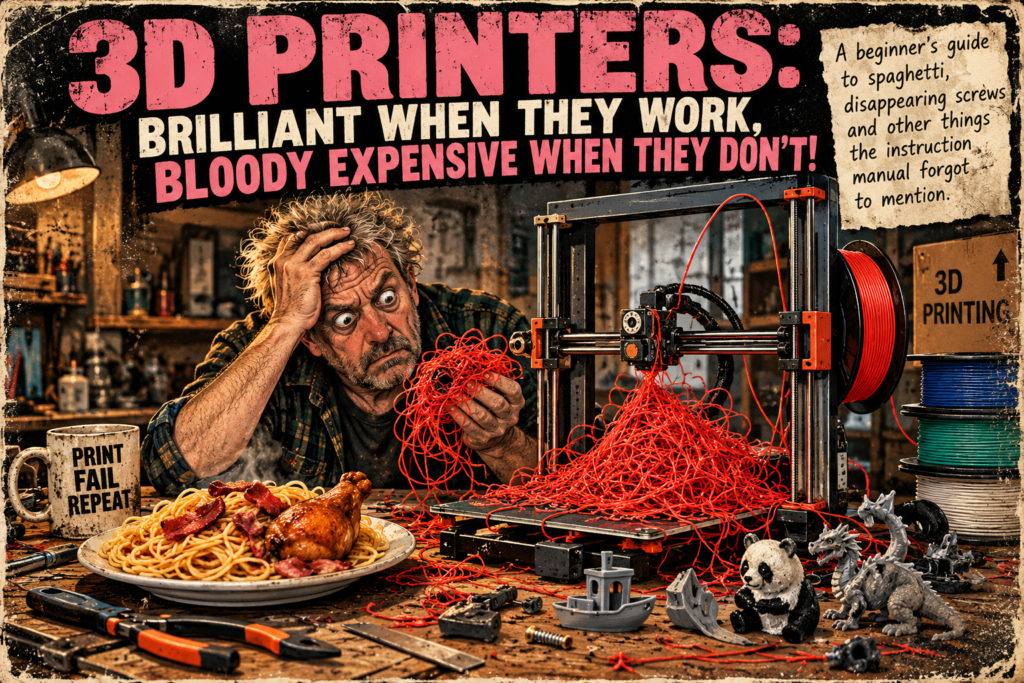
The beginner’s guide to spaghetti, disappearing screws and other things the instruction manual forgot to mention.
So, you’ve bought yourself a 3D printer.
Congratulations! You’ve printed your first little boat, perhaps a panda, and you’re feeling rather pleased with yourself. You’ve joined the wonderful world of making things out of plastic.
Then life gets in the way.
Ten days later, you return to your printer, press a few buttons and wait for your latest masterpiece to appear.
Instead, you discover something resembling a plate of spaghetti.
Not to be put off, you try again. You don’t bother finding out why the first print failed because, well, perhaps Lady Luck was having a day off.
This time everything seems to be going beautifully.
Then your wife, husband or lover shouts that there’s a cuppa waiting. Off you trot. While you’re away, Mum phones, somebody wants something, and before you know it, ninety minutes have passed.
You wander back to the printer before settling down in front of the television.
And there it is.
Another bloody plate of spaghetti.
It wouldn’t be so bad if somebody had served bacon and chicken with it, but all you’ve got is a tangled mess of plastic and possibly another £5 worth of wasted filament.
Welcome to 3D printing.
The First Lesson: Filament Isn’t Immortal
Here’s something I wish somebody had explained properly when I started: filament needs looking after.
Many types of filament absorb moisture from the air, and that moisture can cause all sorts of printing problems. You might hear popping noises from the nozzle, notice excessive stringing, or find that the printed surface looks rougher than it should.
But before you blame every plate of spaghetti on damp filament, remember that prints can also come loose from the bed, fail to stick properly in the first place, or develop problems with supports and extrusion.
The trick is to investigate rather than simply press Print again and hope the printer has developed a conscience.
Filament can also deteriorate with age or poor storage, but don’t rush to throw every old spool away. Some filament can be dried and used perfectly well again.
A suitable filament dryer can help, although different materials require different temperatures. Follow the filament manufacturer’s guidance rather than sticking everything in the oven and hoping for the best.
Once it’s dry, put it in a properly sealed bag with some silica gel desiccant. That’s often cheaper than buying a collection of airtight storage containers.
And yes, I know. You bought a printer to make things, not to develop an intimate knowledge of plastic storage.
Unfortunately, nobody told the plastic. It took me over a year of 3D printing to appreciate just how important dry filament really is. And here’s the embarrassing bit: five years later, I still occasionally forget to check it! Sometimes we spend hours looking for complicated mechanical problems when the answer is sitting there on the spool.
Actually, I’ve Started in the Wrong Bloody Place
Before we get too far into printing, there’s another little adventure awaiting the beginner.
Assembly.
Now, at a guess, I’ve had something approaching a hundred printers pass through my hands over the years. A great deal has changed between printer number one and the latest machines.
But one thing hasn’t entirely disappeared: you may still have to assemble part of the thing yourself.
Not all of us are blessed with the dexterity of a circus performer, although we may look like clowns while crawling around the floor trying to retrieve a hex bolt.
That’s annoying enough.
What’s considerably more worrying is the bolt that drops through a gap in the printer and disappears somewhere near the electronics.
OMG.
You’ve had the bloody thing out of its box for five minutes, and you’re already imagining an impressive arc of sparks when you switch it on.
If a metal screw disappears inside the machine, don’t power it up until you’ve found and removed it safely. A loose screw and an electrical circuit board are not natural friends.
The Handkerchief Trick
Here’s a bit of advice you might not find in the glossy brochure.
Before you start assembly, get yourself a handkerchief.
A clean one, preferably. Nobody wants snot and spit all over their brand-new equipment.
Look around the places where you’re going to fit the gantry and other components. If there are openings through which screws or bolts could fall into the printer’s body, temporarily cover them with the handkerchief or another suitable cloth.
Keep it clear of anything that could be damaged, and remember to remove it before operating the machine.
Simple.
You might never need this trick. But the day you hear a tiny screw disappear into the depths of a brand-new printer, you’ll understand why I mentioned it.
A small magnetic parts tray is another useful thing to have nearby, provided you’re dealing with screws that are attracted to magnets.
Give Yourself Some Bloody Room
Before building anything, make sure your workspace is larger than the finished printer.
That sounds obvious, doesn’t it?
So does not putting your fingers in the toaster.
Yet somehow we all manage to overlook the obvious occasionally.
Clear away the rubbish, the bits of old projects, the mysterious screws left over from 2019 and anything else that might get mixed up with the new printer’s components.
There’s nothing worse than finishing an assembly, looking at the remaining parts and thinking:
Bloody hell, I’ve got enough left over to build another one.
And if you’re impatient to get printing, consider assembling the machine somewhere with enough room to work comfortably before moving it to its permanent home.
Just make sure you follow the manufacturer’s instructions for moving and handling it.
When you’ve finished, put the supplied tools and spare parts in a small labelled bag and keep it near the printer.
Believe me, six months later you’ll be glad you did.
Your Printer Needs Its Own Personal Space
Here’s another lesson that can be learned the easy way or the expensive way.
If your printer is an open-frame machine, remember that things move.
The print head moves. The bed may move. The gantry moves.
And these things don’t necessarily care that you’ve left a screwdriver, a box or your latest unfinished masterpiece in their path.
When something obstructs the printer’s movement, the resulting noise can be absolutely dreadful.
You stand there imagining the machine is about to die a violent death, while it makes noises that suggest somebody has thrown a cutlery drawer into a washing machine.
The obstruction may also damage the printer or whatever unfortunate object happens to be in the way.
So give the machine enough clearance, including space for the full travel of any moving bed.
And do a quick check before every print.
Think Like a Pilot — Without the Uniform
Pilots use checklists for a reason.
I’m not suggesting you need to contact air traffic control before printing a plastic dragon, but a little routine can save a great deal of frustration.
Before starting a print, check that:
- The build plate is clean and correctly fitted.
- The filament is suitable, correctly loaded and in usable condition.
- The nozzle and print area are clear of old plastic and debris.
- Nothing obstructs the moving parts.
- The correct print file and material settings are selected.
- The first layer is actually sticking before you leave the machine to its own devices.
If you’ve got an enclosed printer, check inside it as well. Enclosures don’t magically prevent obstructions, loose bits of plastic or other surprises.
And never reach into moving machinery or attempt to retrieve loose parts while the printer is operating.
That first layer is especially worth watching. A surprising number of disasters begin before the print has properly got going.
And Finally, Don’t Let the Bastard Beat You
I hope none of this puts you off 3D printing.
Quite the opposite.
There’s something enormously satisfying about taking an idea, turning it into a model and watching a machine produce something you can actually hold.
I’ve made all sorts of things over the years, and even now I still get pleasure from seeing a complicated print come off the bed successfully.
Of course, sometimes it doesn’t.
Sometimes the filament misbehaves, the bed refuses to cooperate, or the printer develops a new noise that wasn’t included in the manufacturer’s promotional video.
But every problem you solve teaches you something.
And the day you finally get that troublesome model to print properly, you’ll probably feel rather pleased with yourself.
So welcome to 3D printing.
May your filament remain dry, your screws remain visible and your spaghetti arrive on a dinner plate rather than a printer bed.
Happy printing. And remember: when it all goes wrong, you’re not necessarily doing something stupid. You may simply be learning something the hard way.
Leave a Reply